

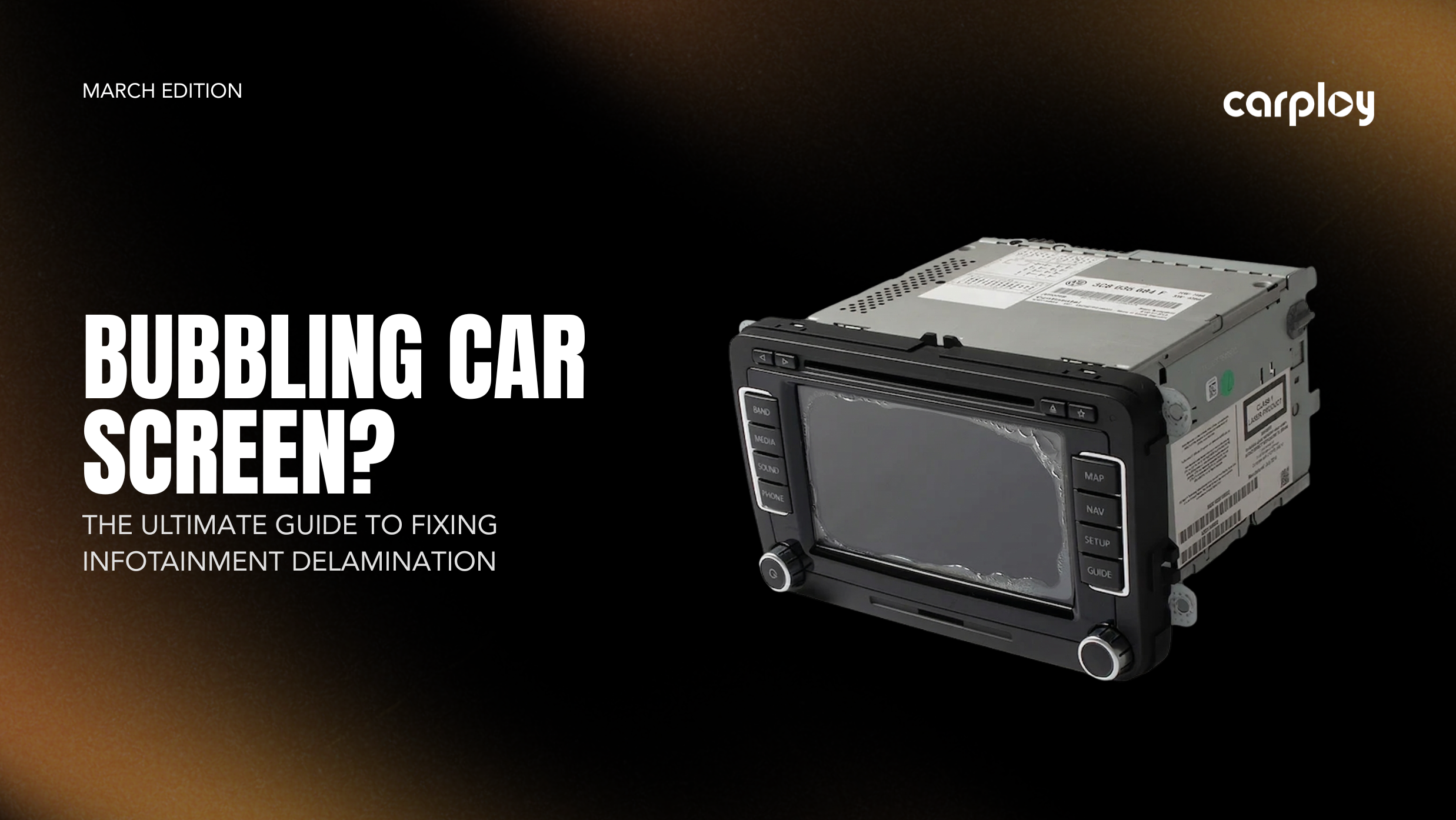
You get into your truck after it’s been baking in the summer sun, turn the key and suddenly your radio has a mind of its own. It’s changing radio stations, dialing random numbers from your contacts or completely ignoring your touch. Looking closer, you notice what looks like air bubbles, a peeling film, or a weird "wet" patch right in the middle of the display.
You aren't going crazy and you didn't break your radio. Your vehicle is experiencing screen delamination, one of the most common, frustrating and widely misunderstood hardware failures in modern dashboards.
If a trip to the dealership left you staring at a $1,500+ quote for a complete radio replacement, take a breath. You don't have to pay dealer prices to get your dashboard functioning again. Here is exactly what is happening behind the glass and how you can fix it permanently in your own driveway.
What is Screen Delamination?
Your factory infotainment screen isn't just one piece of glass. It is a layered sandwich consisting of an LCD screen (which displays the image) and a digitizer (the glass overlay that registers your touch).
In many factory systems, especially in RAM, Jeep, Chrysler, Ford and GM vehicles, these two layers are glued together using an Optical Clear Adhesive (OCA) gel. The problem is that automotive cabins get incredibly hot. Over years of extreme dashboard heat and direct UV exposure, that factory gel adhesive breaks down, melts and eventually separates.
When the digitizer separates from the LCD, the touch sensor loses calibration. That is why your radio starts registering inputs you didn't make, a phenomenon commonly called "ghost touches."
 Delaminated screen on a Ram Pickup
Is Your Screen Delaminating?
If you are experiencing any of these hardware symptoms, a software update won’t save your screen:
-
The "Bubble" Effect: Air pockets or a sticky-looking residue trapped under the glass.
-
Ghost Touching: The screen presses buttons and operates on its own.
-
Dead Zones: Specific areas stop responding to your touch.
-
Sticky Leaks: Melted gel drips from the screen bezel onto your center console.
How to Fix It: 3 Repair Options
Dealerships will often claim the entire radio chassis must be replaced, but you have smarter, more cost-effective options:
1. Mail-In Repair Service (The Hands-Off Approach) If you are comfortable pulling the radio out of the dash but don't want to disassemble the delicate electronics yourself, use a specialized mail-in service. You ship the radio unit to professionals who will safely clean out the melted gel, install a new gel-free digitizer and mail it back to you ready to plug and play.
2. Replace the Digitizer/LCD Assembly (The DIY Component Swap) If you like your factory radio and want to save money, you can just replace the failing parts yourself. Remove the radio, open the faceplate, and swap in a gel-free replacement digitizer (which uses heat-resistant tape so it won't melt again). If the gel damaged the display underneath, you can drop in a combined LCD-and-digitizer assembly.
3. The Complete System Upgrade (The Modernization Route) Use the broken screen as an excuse to overhaul your tech. Swap the factory unit for a premium aftermarket head unit to instantly add modern features like wireless Apple CarPlay, Android Auto and a faster, higher-definition display.
The Bottom Line: Don't Replace, Just Repair
In short: the heat-sensitive gel in your factory screen has failed, leading to bubbles and "ghost" touches. You don't need a $1,500 replacement radio from the dealer that uses the exact same flawed technology.
At CarPlayNav, we specialize in making your dashboard better than the day it left the factory. Whether you choose our DIY kits to tackle the job in your driveway or our Professional Mail-In Service to let our techs handle the heavy lifting, we ensure your screen is rebuilt with gel-free, heat-stabilized components that won't fail you again.
Stop fighting your radio and take back control of your tech.
Talk to a Specialist
Not sure if your screen is repairable or if you’re better off with an upgrade? Our team is standing by to help you diagnose your specific issue and find the most cost-effective path forward.
Contact our support team today:
📧 Email: support@carplaynav.com


